The Problem
Flutter's built-in TextEditingController treats numbers as plain text. When a user types 1000000 into a price field, they see exactly that — an unreadable wall of digits. There is no grouping, no decimal formatting, and no currency symbol. Developers are left writing custom TextInputFormatter logic, manually parsing strings, and fighting cursor-position bugs every time formatting changes the text length.
Common issues include:
- Users misread large numbers without thousand separators
- Currency fields that ignore locale conventions (symbol placement, comma vs. dot)
- Fragile parsing code that breaks when the formatted text contains non-digit characters
- Cursor jumping to unexpected positions after each keystroke
How number_editing_controller Solves It
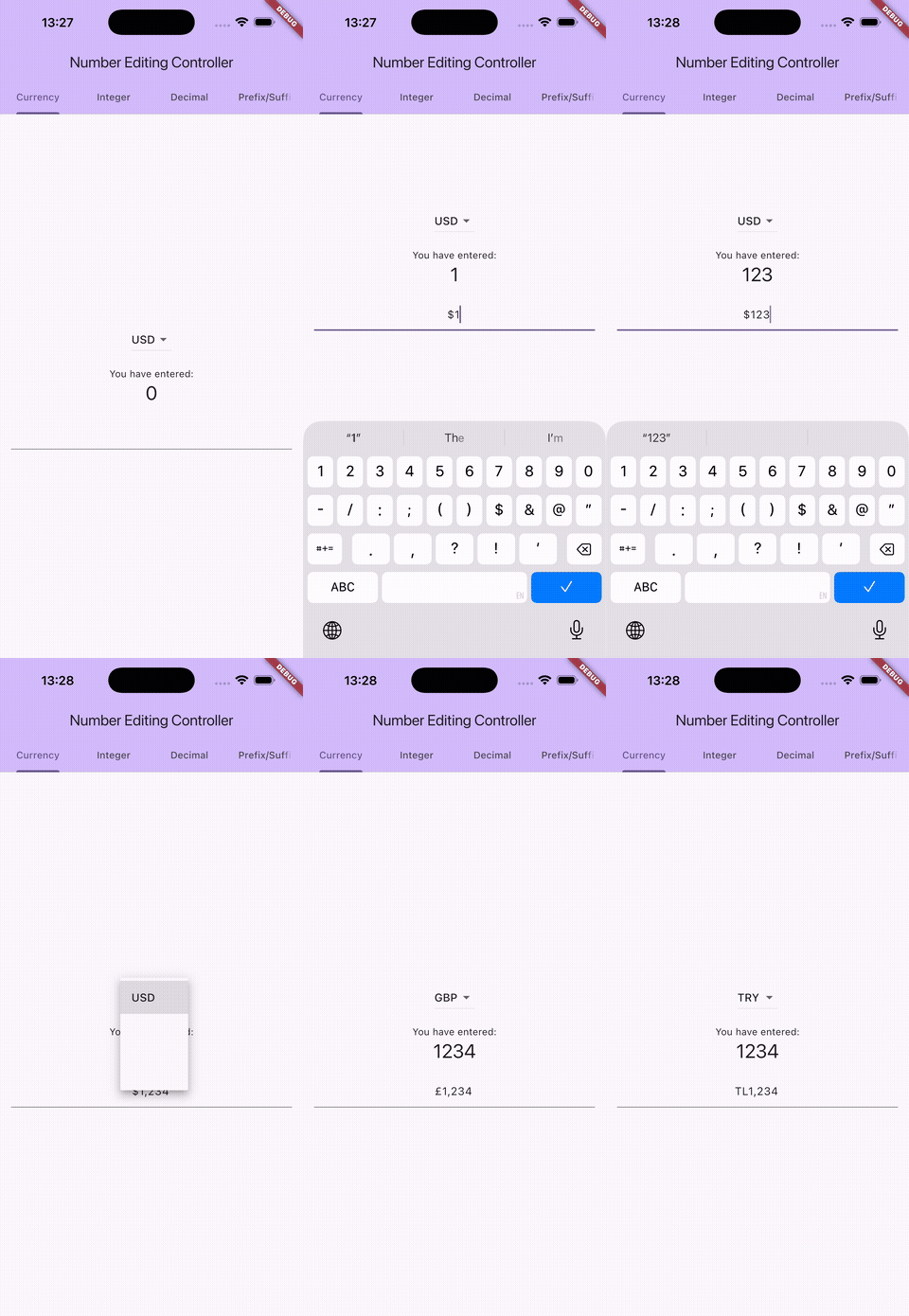
number_editing_controller is a drop-in replacement for TextEditingController. Assign it to any TextField and it handles formatting, parsing, and cursor management automatically.
The user sees properly formatted text like $1,234.56 or 1.234,56 €, while your code reads the clean numeric value through controller.number.
What It Supports
- Integer formatting — groups digits with locale-appropriate separators (
1,000,000in English,1.000.000in German) - Decimal formatting — configurable minimum and maximum fraction digits
- Currency formatting — places the currency symbol before or after the number based on locale rules
- Locale awareness — uses ICU formatting patterns so
1234.56in USD renders as$1,234.56in English and1.234,56 $in German - Negative numbers — optional
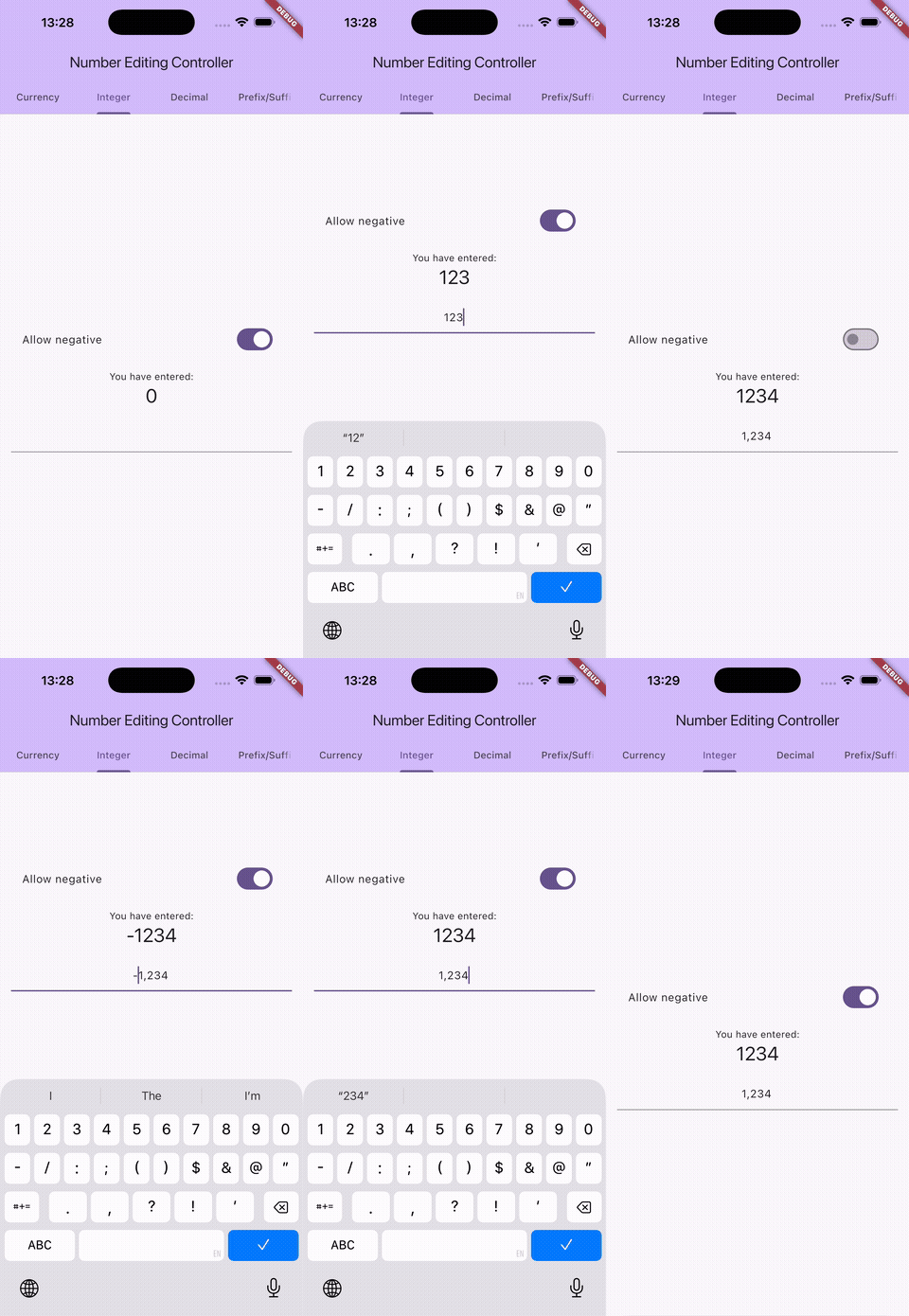
allowNegativeflag to restrict input to positive values - Runtime changes — switch locale, currency, or precision on the fly without recreating the controller
- External currency symbol — display the symbol as a
TextFieldprefix/suffix decoration instead of inline text
Real-World Use Cases
E-commerce checkout
A payment form needs to accept amounts in multiple currencies. With number_editing_controller, you create a single currency controller and change currencyName when the user picks a different currency. The field reformats instantly — no rebuild required.
Multi-locale financial apps
A banking app serving users in the US, Germany, and Japan needs each locale's conventions: $1,234.56 vs 1.234,56 € vs ¥1,500. The controller handles all of this from a single locale parameter.
Inventory and quantity fields
Warehouse apps deal with large integer quantities. The integer controller turns 1000000 into 1,000,000, making data entry errors easy to spot.
Analytics dashboards
Decimal controllers with configurable precision let you format metric values — percentages with 2 digits, scientific measurements with 4 — while keeping the raw num value available for calculations.
Locale Formatting Examples
| Locale | Type | Raw Value | Displayed |
|---|---|---|---|
en | Currency (USD) | 1234.56 | $1,234.56 |
de | Currency (EUR) | 1234.56 | 1.234,56 € |
fr | Currency (EUR) | 1234.56 | 1 234,56 € |
ja | Currency (JPY) | 1500 | ¥1,500 |
ru | Currency (RUB) | 500 | 500 ₽ |
en | Integer | 1234567 | 1,234,567 |
de | Decimal (max 2) | 1234.89 | 1.234,89 |
Getting Started
Install the package:
flutter pub add number_editing_controller
Requires Flutter 3.19+ and Dart 3.3+.
Then create a controller and assign it to your TextField:
final controller = NumberEditingTextController.currency(
  currencyName: 'USD',
  locale: 'en',
);

TextField(
  controller: controller,
  keyboardType: TextInputType.numberWithOptions(decimal: true, signed: true),
)

// Read the numeric value at any time
final amount = controller.number; // e.g. 1234.56
Three controller types are available: .integer(), .decimal(), and .currency(). All options — locale, separators, currency, precision — can be changed at runtime without recreating the controller.
A complete working example with a currency picker, locale switcher, and external symbol placement is available in the example directory.

